People and Contributor Management
Last updated: February 19, 2026
Roles
Primary Billing Owner - Full access, user management, billing, billing delegation
Admin - Full access, user management
Manager - Team visibility, reporting
Engineer - Self + team visibility (Enterprise-only)
Adding Members for Exceeds Access
After your trial has ended, Members require a paid manager seat to get access to Exceeds. For Pro level customers, you will be prompted to provide a seat in order to send an invitation.
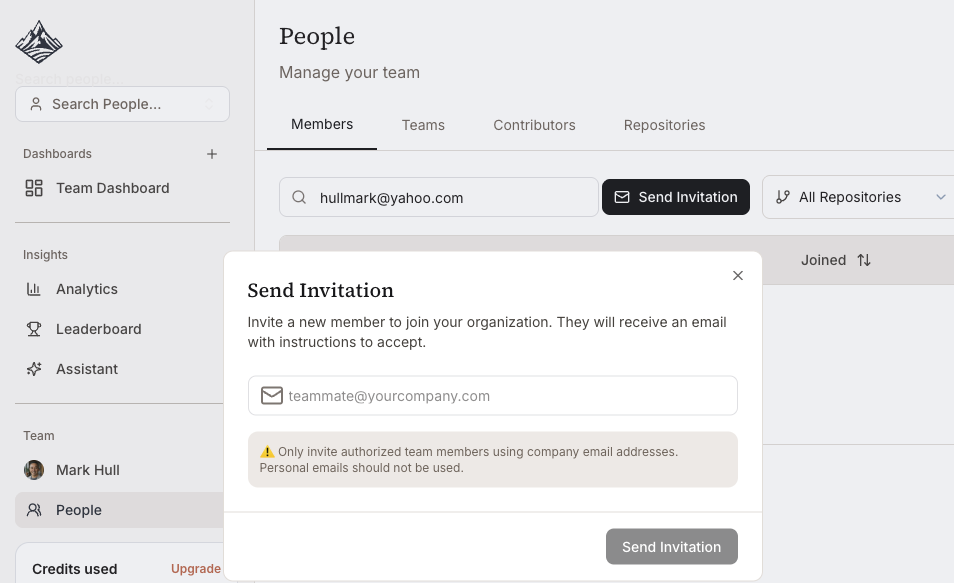
People > Members > InviteEnter email addresses
Send invitations
After sending, select role
Changing User Roles
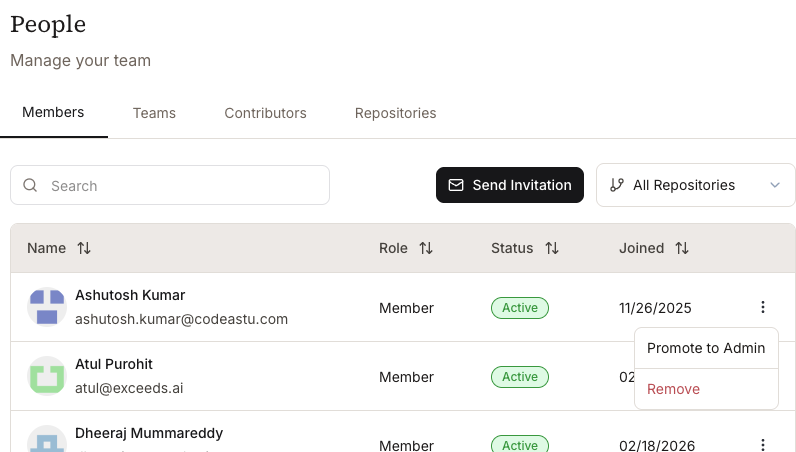
After adding a member to Exceeds, you can change their role to Admin or remove them from the service. The original Billing Admin Owner can also promote other admins to have billing responsibility.
Merging or Hiding Contributor Profiles
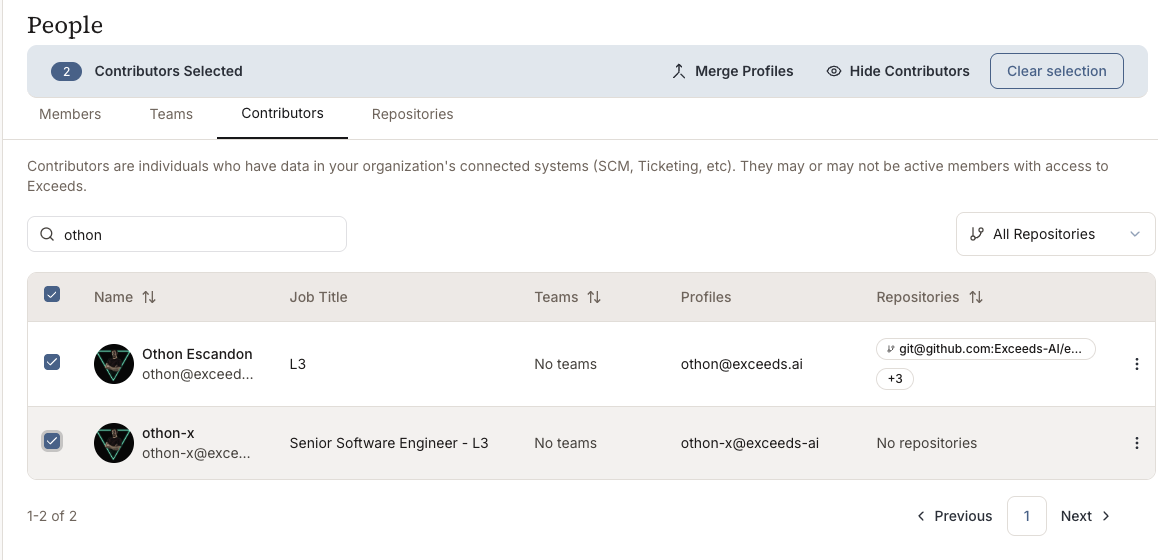
In some repos, contributors might have contributors who are the same person using multiple GitHub IDs. Additionally, there may be legacy profiles or bots that you want to remove. From the Contributor menu, you can select multiple profiles and merge them together, or select profiles and hide them.
Merging profiles will consolidate their contributions. Hiding the profiles will remove the contributions and username throughout the service. Identity changes may take up to 24 hours to be reflected in the dashboards and analytics.
Exceeds has contributor management tools for Enterprise customers, but if you need help, contact support and we will help optimize your contributor and profile list with you.