Your Dashboards
Last updated: February 19, 2026
After repository sync completes, access your analytics dashboard to view AI tool impact metrics.
Dashboard Structure
The Analytics page contains three tabs, each serving specific analytical purposes:
Team Dashboard
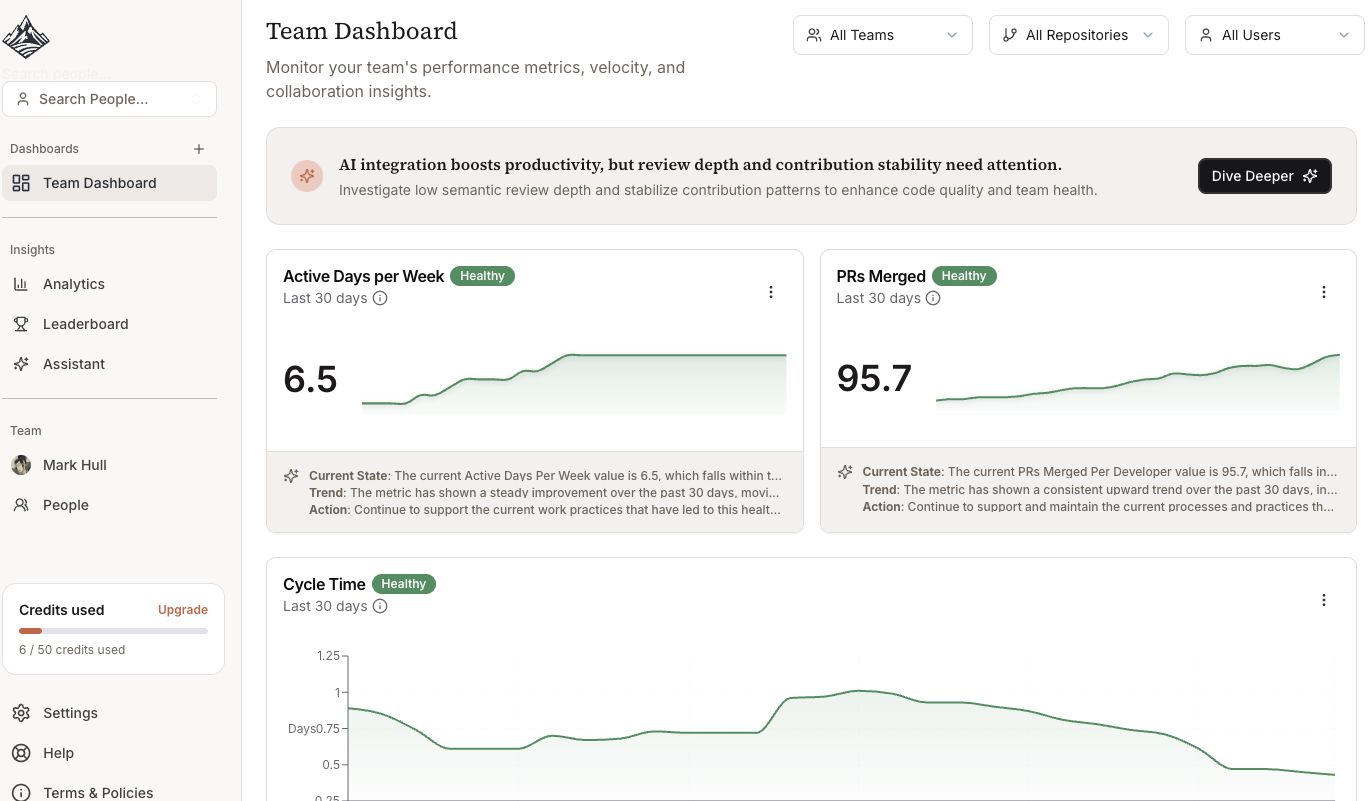
Overall organization developer analytics
Key AI productivity and code quality metrics
Dashboard Summary Headline
Metric AI Highlights and Context
AI Impact
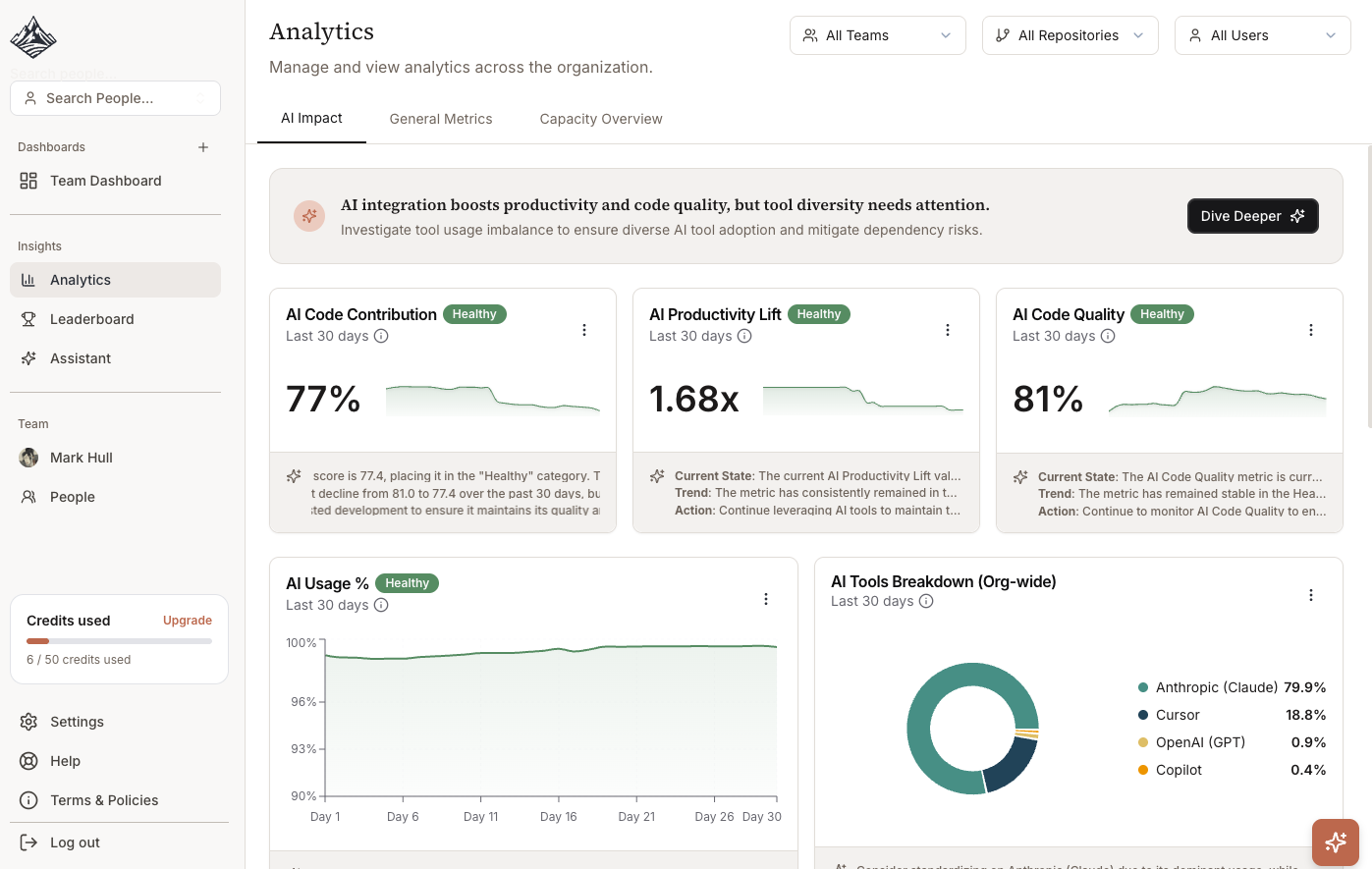
AI Code Contribution percentage
AI Productivity Lift multiplier
AI Code Quality score
Tool-specific breakdowns (Cursor, Copilot, Claude, etc.)
General Metrics
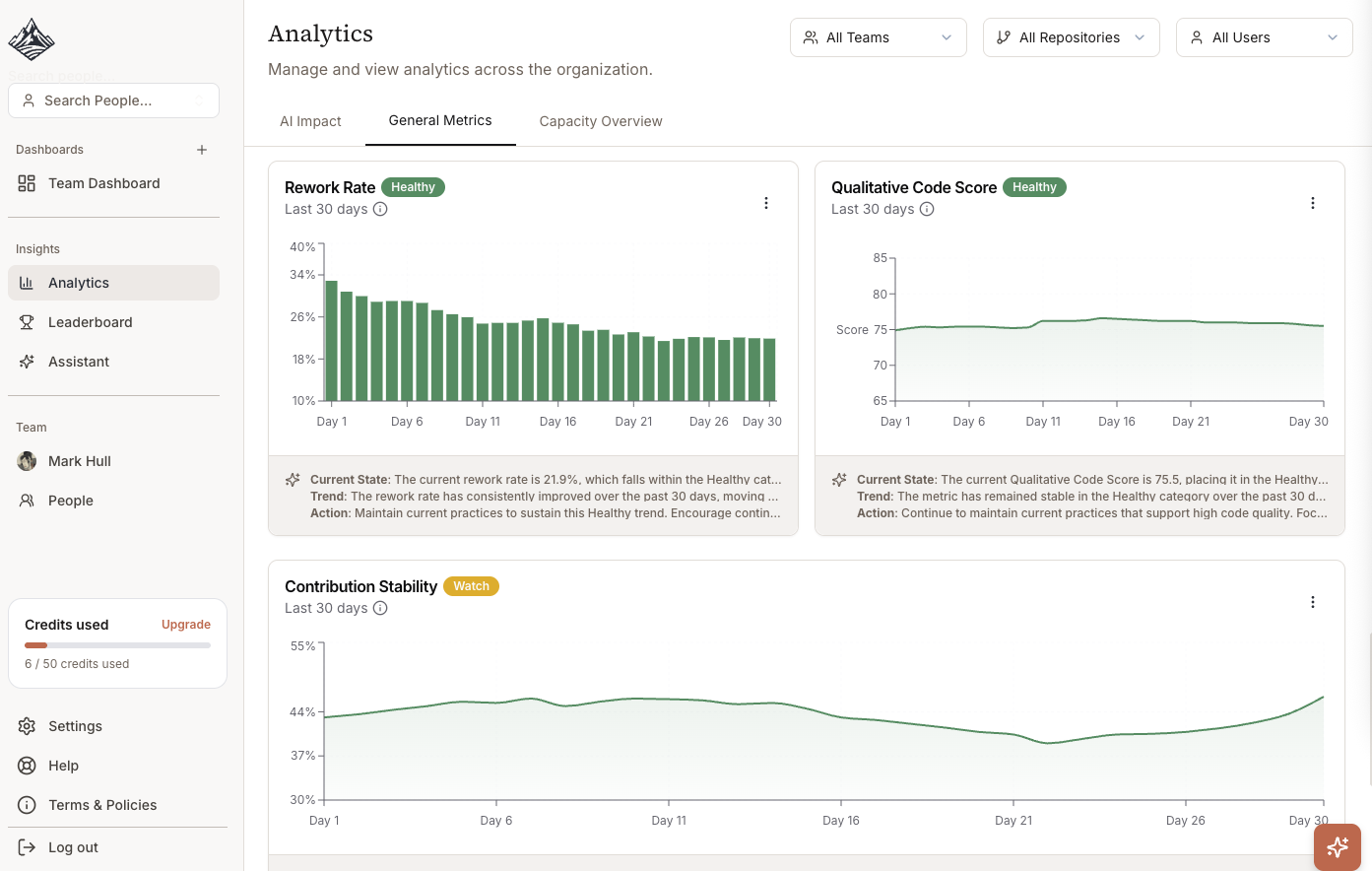
Non-AI code quality and rework scores
Team engagement and workload metrics (active days, activity breakdowns)
SPACE metrics (PR cycle time, review response time, merge rate)
Traditional engineering KPIs
Capacity Overview (with Linear, JIRA or Calendar integrations)
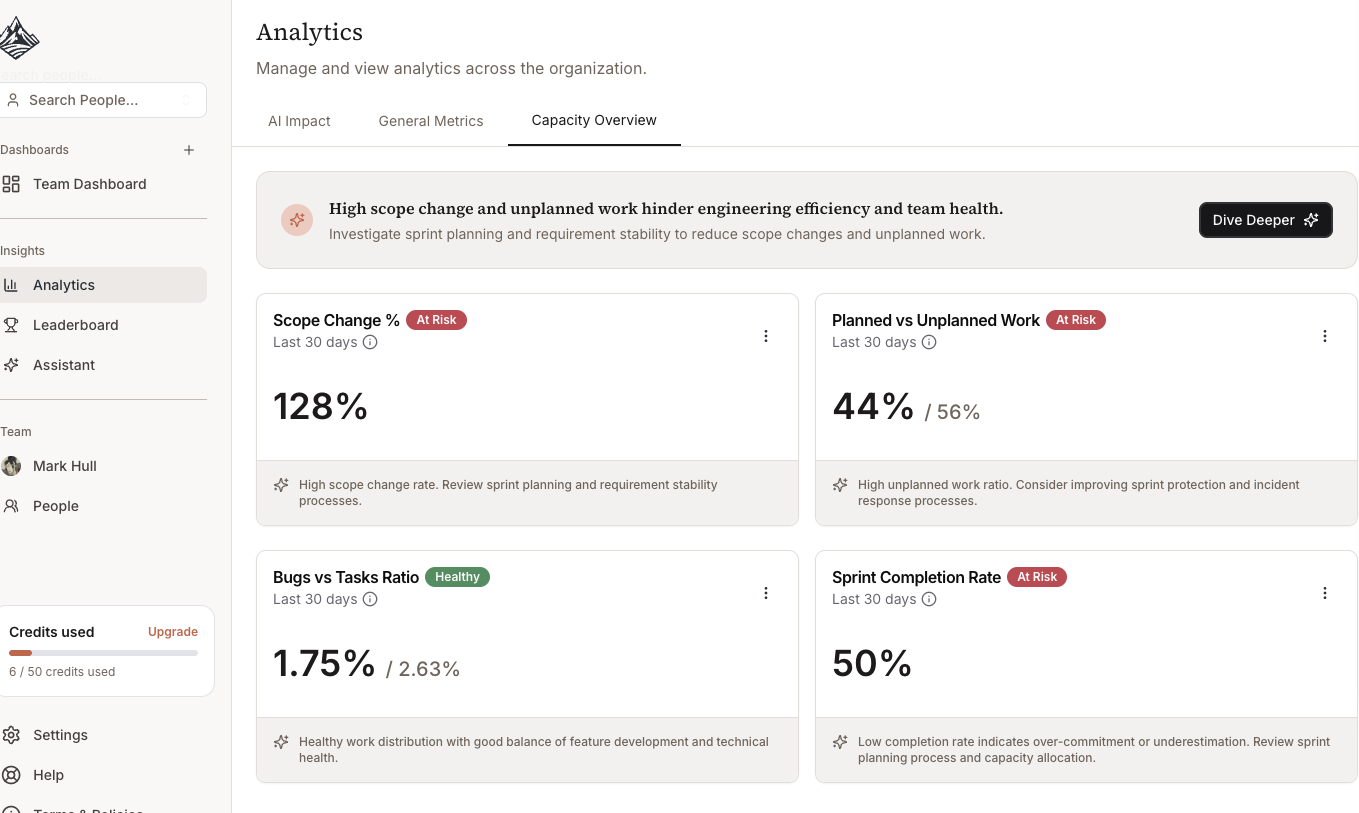
Scope change
Planned vs Unplanned work
Bugs vs task ratios
Key Metrics to Monitor
AI Code Contribution
What to look for: 70-85% indicates healthy adoption.
Interpretation:
Below 60%: Tools underutilized, investigate training needs
70-85%: Optimal balance of AI assistance and human oversight
Above 90%: Potential over-reliance, review code quality metrics
Action items:
Compare across teams to identify adoption patterns
Interview high-performing teams about their workflows
Provide additional training to low-adoption teams
AI Productivity Lift
What to look for: 1.4x-2.0x indicates effective tool usage.
Interpretation:
1.0x-1.2x: Tools not providing value, check configuration
1.4x: Normal first 90 days adoption
1.8x+: Mature usage with established workflows
Action items:
Calculate ROI for budget justification
Identify process bottlenecks limiting productivity gains
Measure training effectiveness by comparing pre/post lift
AI Code Quality
What to look for: >75% maintains quality standards.
Interpretation:
90-100%: Exceptional, AI code exceeds human baseline
75-90%: Acceptable, quality maintained at higher velocity
60-75%: Warning, review practices may be inadequate
<60%: Critical, immediate intervention required
Action items:
Audit recent PRs with high AI contribution
Strengthen testing requirements for AI-generated code
Implement code review checklist for AI-heavy changes
Using Filters
Team Filter
In some dashboards, you can filter metrics for specific teams or compare across organization.
Use cases:
Identify teams with best AI adoption practices
Target training resources to specific teams
Understand adoption variations by domain or tech stack
Repository Filter
Different repositories show different healthy patterns:
Frontend/Backend APIs: 70-85% typical
Algorithm-heavy: 45-65% expected
Infrastructure: 50-70% normal
Use cases:
Compare similar technical domains
Identify repositories where AI tools are most effective
Understand why certain repos show different patterns
AI Tool Filter
Compare metrics across different tools (e.g., Cursor vs Copilot vs Claude).
Use cases:
Inform license renewal decisions
Calculate cost per productivity gain by tool
Guide tool recommendations to new engineers